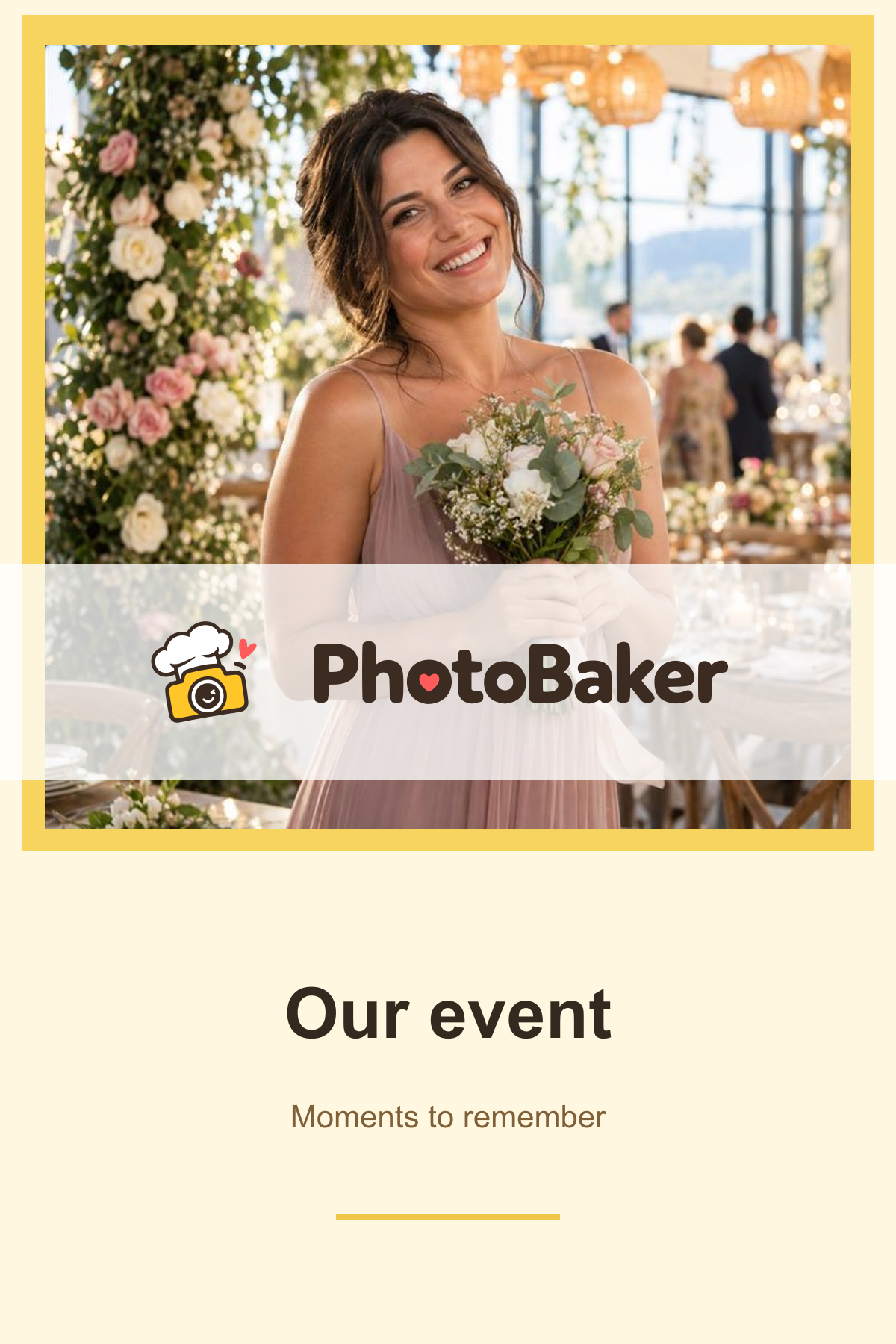
Choose a hashtag and date range
Set your hashtag, dates and sources. PhotoBaker searches public photo posts published during your event period.

Set up PhotoBaker to print hashtagged photos at your event. Use PhotoBaker PrintStation on Windows to manage printing. Start for free with watermarked prints.
Memories you can hold. Computer, printer and supplies are purchased separately.


More than a link.
A real photograph.
Guests take photos their way.
You keep the shared memories.
Public posts with your event hashtag.
Choose a source to learn about search requirements.
From a post to a print
Set up your event once.
Then collect moments, choose your favourites and share them with your guests.
Set your hashtag, dates and sources. PhotoBaker searches public photo posts published during your event period.
Add a PNG template with a logo, date or personal message. Approve photos yourself or enable automatic approval.
Connect a Windows computer and printer through PrintStation. Manage the queue and enable automatic printing separately.
Stay in control behind the scenes
Your photos, layout and settings are together in the dashboard. Filter by source and approval status. Approve photos manually or set up automatic approval.
How printing works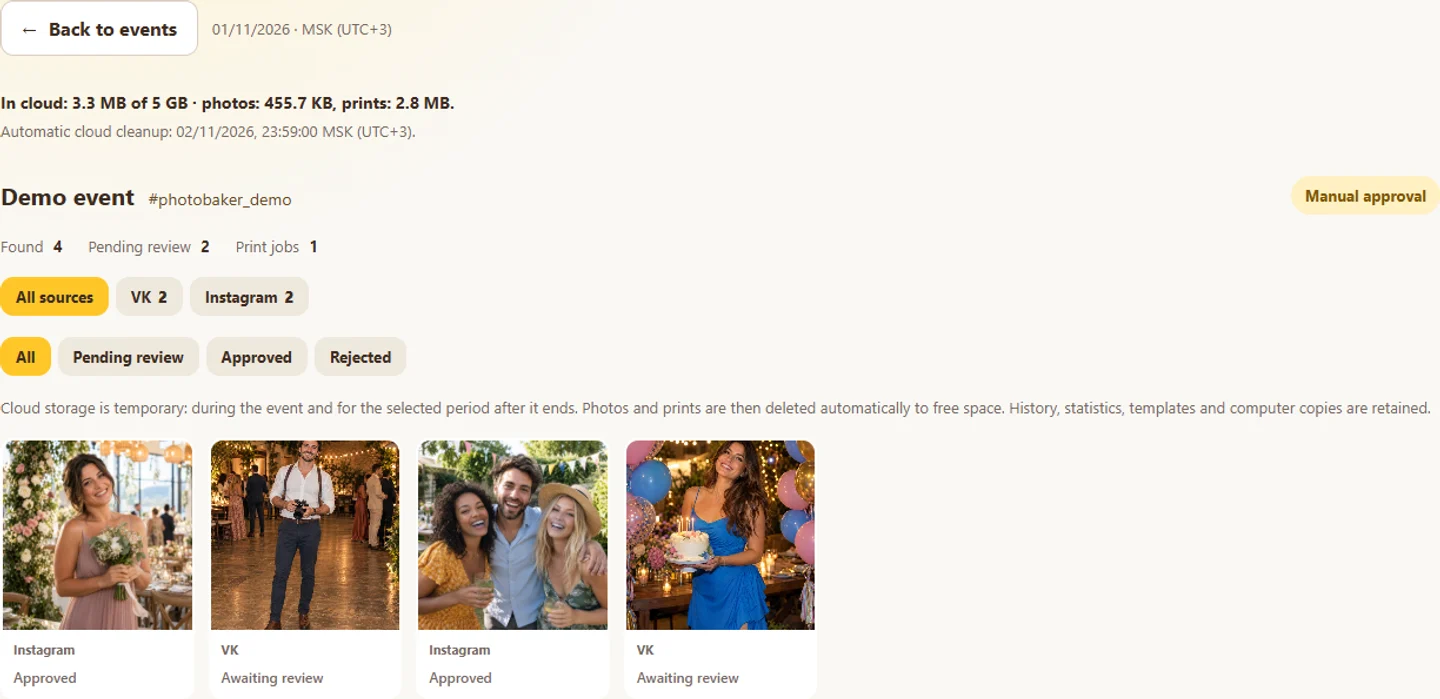
See discovered photos and images awaiting your decision in the gallery.
Screenshot of the working English interface using demo data.Real software screens
Open any screenshot to see the interface in more detail.
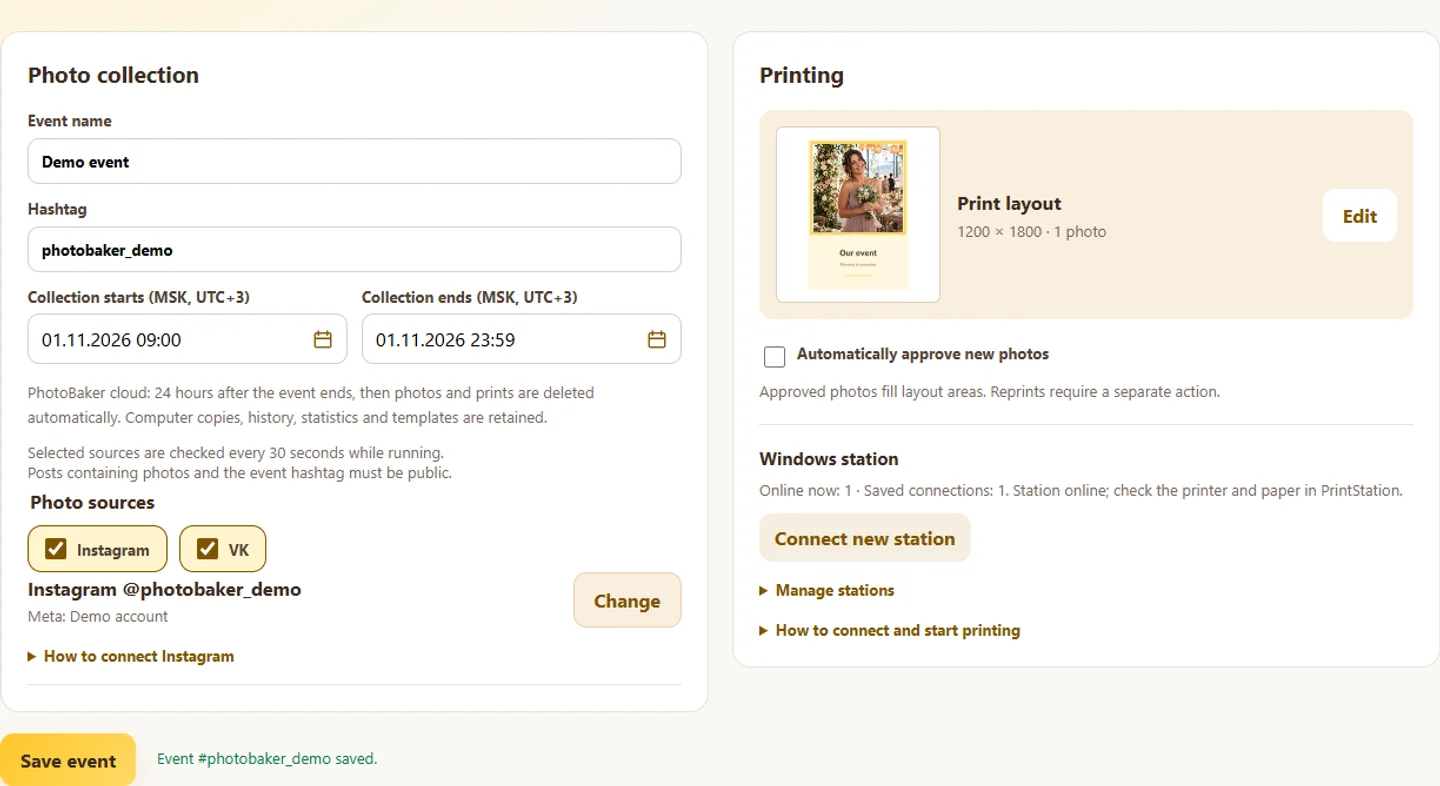
Enter a name, unique hashtag, dates and sources. Save your changes before starting the search.
Screenshot of the working English interface using demo data.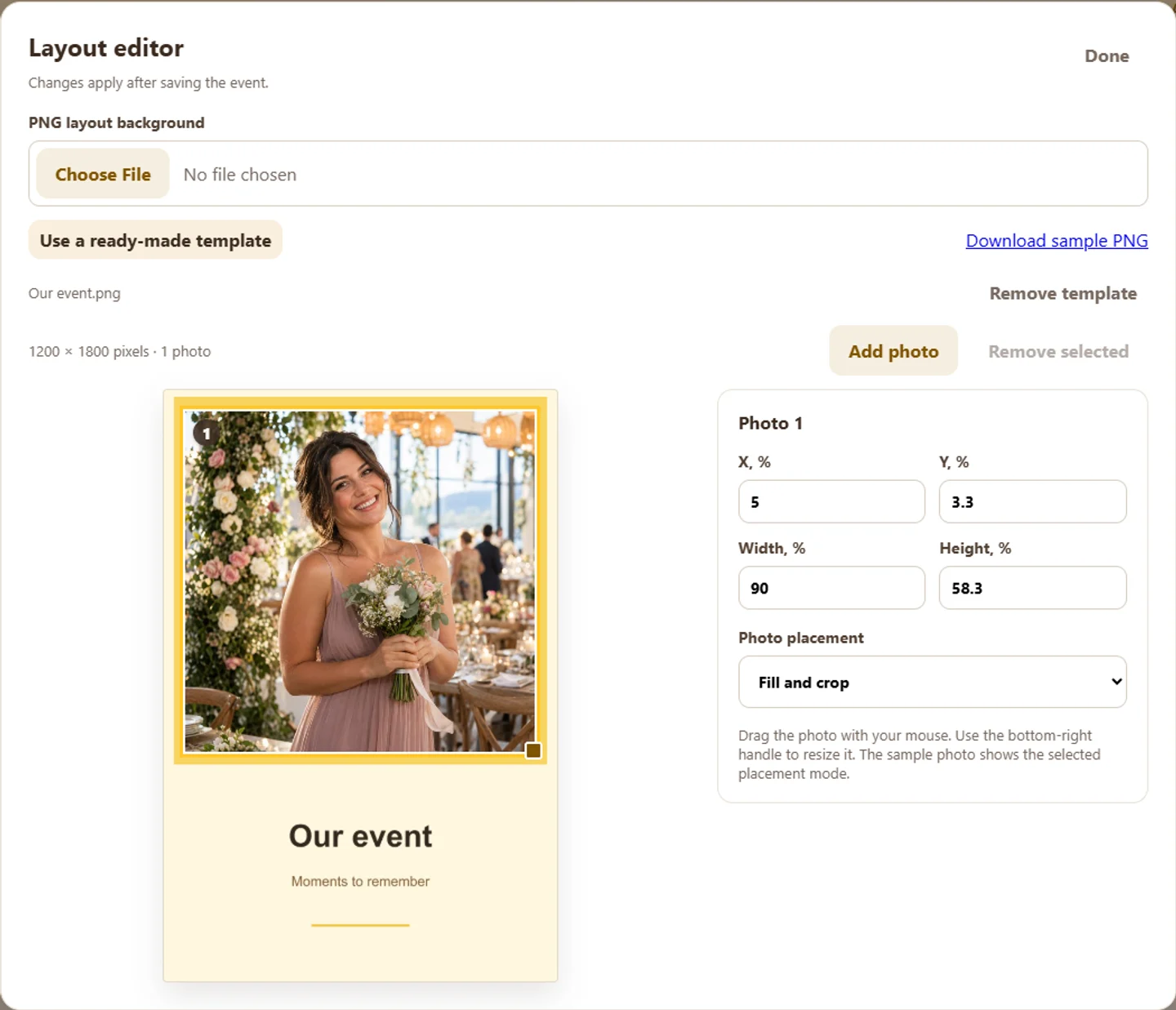
Upload a PNG or choose a ready-made template. Set the photo position, size and fit.
Screenshot of the working English interface using demo data.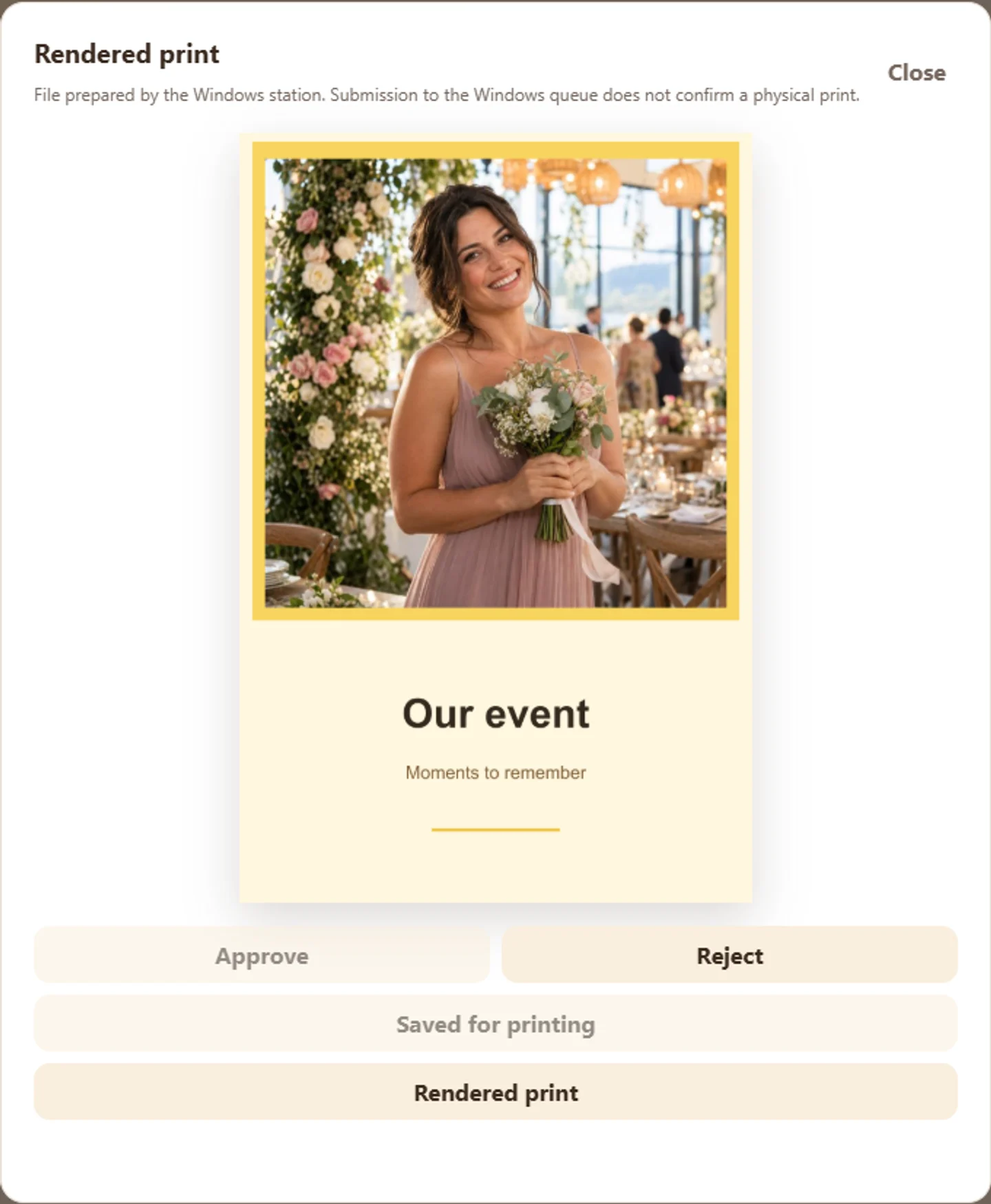
Open the saved result from the photo card. Check the actual paper output separately on a physical printer.
Screenshot of the working English interface using demo data.These screenshots show the working English interface with demo data. They are not a customer case study or proof of physical printing. Enable automatic printing separately in PrintStation after checking your printer and paper.
Software and equipment are separate
PhotoBaker access includes the software. A computer, physical printer, paper and consumables are not included in the price.
Instagram requires a professional account linked to a Facebook Page and Meta permissions. VK does not require a separate organiser account connection. Source restrictions apply: a hashtag does not guarantee that every post will be retrieved.
Connect PhotoBaker PrintStation for Windows to your dashboard using a one-time code. One PrintStation can be used at a time.
Install your printer driver, select the paper size and check the layout with a test print before the event. Check compatibility with your particular printer in advance.
One layout, two modes
A demo photo and a ready-made template. The watermark is applied by the actual PhotoBaker server.


These are prepared images, not proof of physical printing. A video covering the full journey from search to a paper print is still being prepared.
Two modes
Web dashboard and PrintStation for Windows. You provide the computer, printer and supplies.
Set up an event and test printing. Prints will carry the PhotoBaker graphic watermark.
No time limit, with the PhotoBaker watermark. Source, storage and product limits still apply.
Start for freeRUB 1,990 per month
Create new prints without a watermark during the paid calendar month. One account supports one station running at a time; you can transfer the connection yourself.
Renew manually, with no automatic charges. No per-print fee.
Open dashboardYour first month starts when the server confirms payment and grants access. A renewal adds a month to your current period; after a gap, a new month starts. Free watermarked mode remains available afterwards. Cloud photos are stored temporarily; see the deletion date in your dashboard.
Before your first event
Learn what PhotoBaker offers and find answers before your first event.
No. PhotoBaker is software for printing photos by hashtag. A computer and printer are not included in software access.
Yes. Free mode has no time limit and prints carry the PhotoBaker watermark. Source, storage and product limits still apply.
RUB 1,990 per month. Renew manually; there are no automatic charges.
PhotoBaker PrintStation is a Windows application. The PrintStation page explains installation, connection and print setup.
Access covers one PrintStation in use at a time.
Photo availability depends on the connection requirements and restrictions of Instagram or VK. Having the hashtag does not guarantee that every post will be retrieved.
Ready for memorable evenings
Set up your event in the dashboard, choose a layout and test printing before your guests arrive.